Shopware is the most widely installed open source e-commerce platform in the German-speaking market, chosen by merchants who want a tailor-made, API-first store without depending on a closed SaaS. It is a platform Fullmetrix supports natively.
Fullmetrix was born from a real need. For years we worked with merchants from an agency, and we kept hitting the same wall: getting usable data to analyse a store was never simple. We exported CSVs, juggled three GA properties, two Looker Studio dashboards, an Excel file and a hand-made margin sheet. In the end we spent more time manufacturing the numbers than using them.
So we built our own tool, and it became Fullmetrix. After PrestaShop, WooCommerce, Shopify, Sylius and Magento, one platform kept coming up in merchant conversations, and its architecture had appealed to us for a long time: Shopware. The native Fullmetrix x Shopware integration is now available.
Why Shopware
Shopware 6 is built on Symfony, designed API-first, with a rigorous data abstraction layer and a clean app system. Orders, line items, calculated taxes, promotions, deliveries, variants, manufacturers, sales channels: everything is modelled properly and readable through the API, with no workarounds. That is rare, and it matters a lot when your job is to produce numbers that are right.
This is exactly the ground where Fullmetrix is at its best. A structured platform, reliable data, and behind it an analytics and marketing suite that knows what to do with it. Shopware merchants have usually invested in a solid technical stack and in a team that masters it. They deserve analytics to match, not a generic connector that only half understands their store.
The same suite, no compromise
The Shopware integration gives access to the whole Fullmetrix platform: detailed reporting, WhatsApp, cohorts, segments, ad audiences, forms, digests and exports. No stripped down version reserved for other platforms.
How the integration works
The integration relies on an official app maintained by our team, built on the Shopware app system. That is an important difference from a classic plugin: none of our PHP code runs on your server. The app declares the permissions it needs, all read-only, and Fullmetrix then queries the Admin API from its own servers. A store slowing down or going down because of our code is simply not possible.
Upload the app
In the Shopware administration, open Extensions then My extensions, click Upload extension and pick the ZIP file downloaded from Fullmetrix.
Install and activate
Install the app then activate it. Shopware establishes the trust link with Fullmetrix on its own, there is no API key to generate and no integration to configure by hand.
Paste your connection code
Open the app configuration, paste the code shown in Fullmetrix and save. The historical import starts right away.
On the technical side, the app supports Shopware 6.6 and later, self-hosted as well as managed hosting. The historical import brings back your orders with their line items, calculated taxes, discounts, fees and deliveries, then your products and variants, your categories, your manufacturers, your customers and your promotions. From then on, Shopware webhooks tell Fullmetrix about new orders, status changes and refunds, and a regular re-read makes sure nothing is missing even if a webhook is lost.
Multi-channel, multi-currency, multi-language, multi-tax: gross and net orders are brought back to the same reference, promotion line items are kept out of product revenue, and amounts are converted with the order's own exchange rate. The figures you read in Fullmetrix reconcile to the cent with the ones in your back office.
What Shopware merchants get
Here, concretely, is what you unlock by plugging Fullmetrix into your Shopware store. Every feature is available right after installation, with no extra development.
Detailed multi-axis reporting
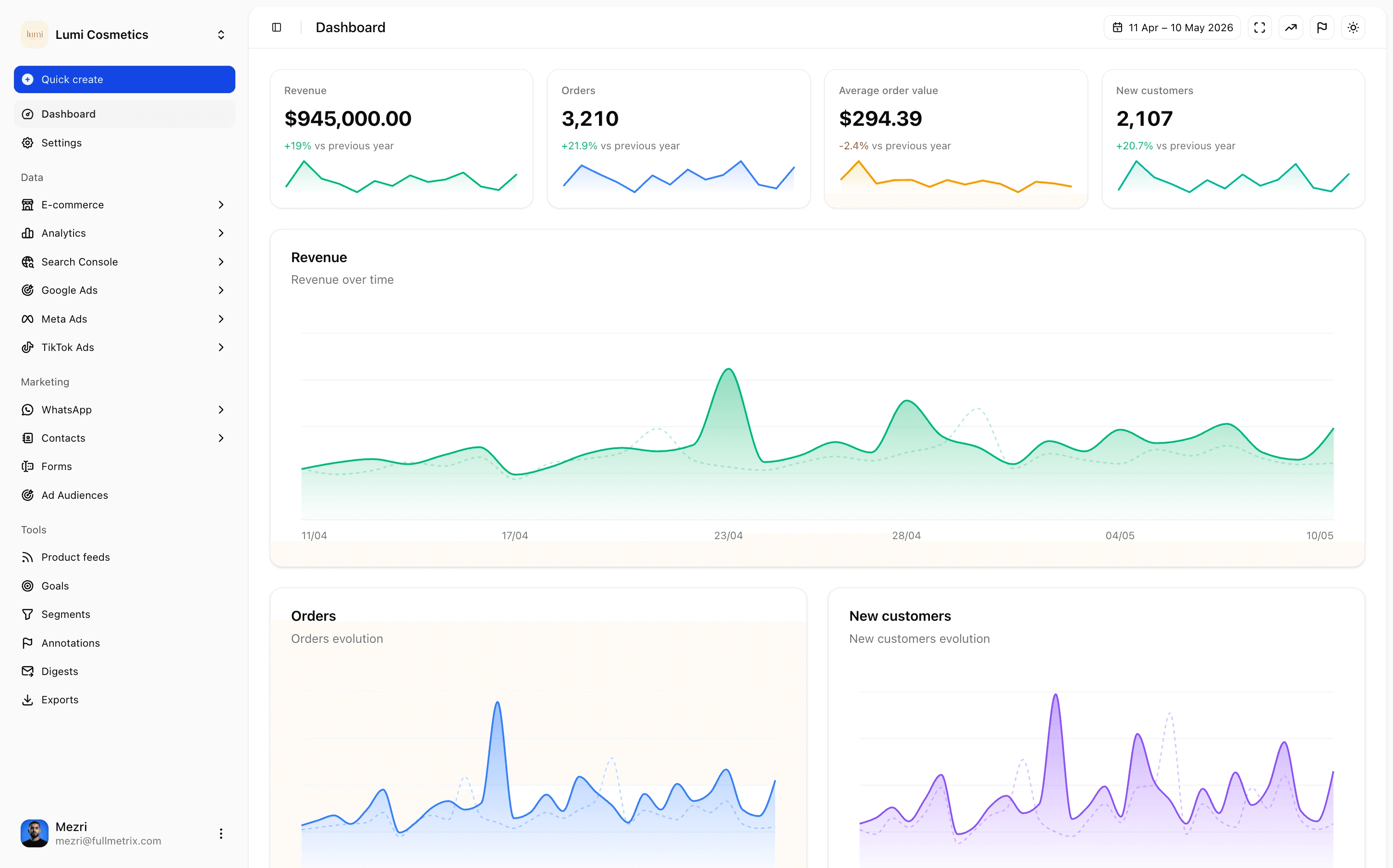
Real multi-axis reporting, where every figure breaks down by sales channel, country, customer type, category and product, with drill-down to the order. Not one more dashboard with pretty curves, but data you can actually decide on.
- Revenue by sales channel, country, customer type and product, with year over year comparison
- Top products, top categories and top customers tables, with one-click exports
- Cart analysis (size, composition, abandonment) and promotion analysis
- Consolidated analysis if you run several sales channels or several stores
- Tree comparisons (categories, variants) with drill-down
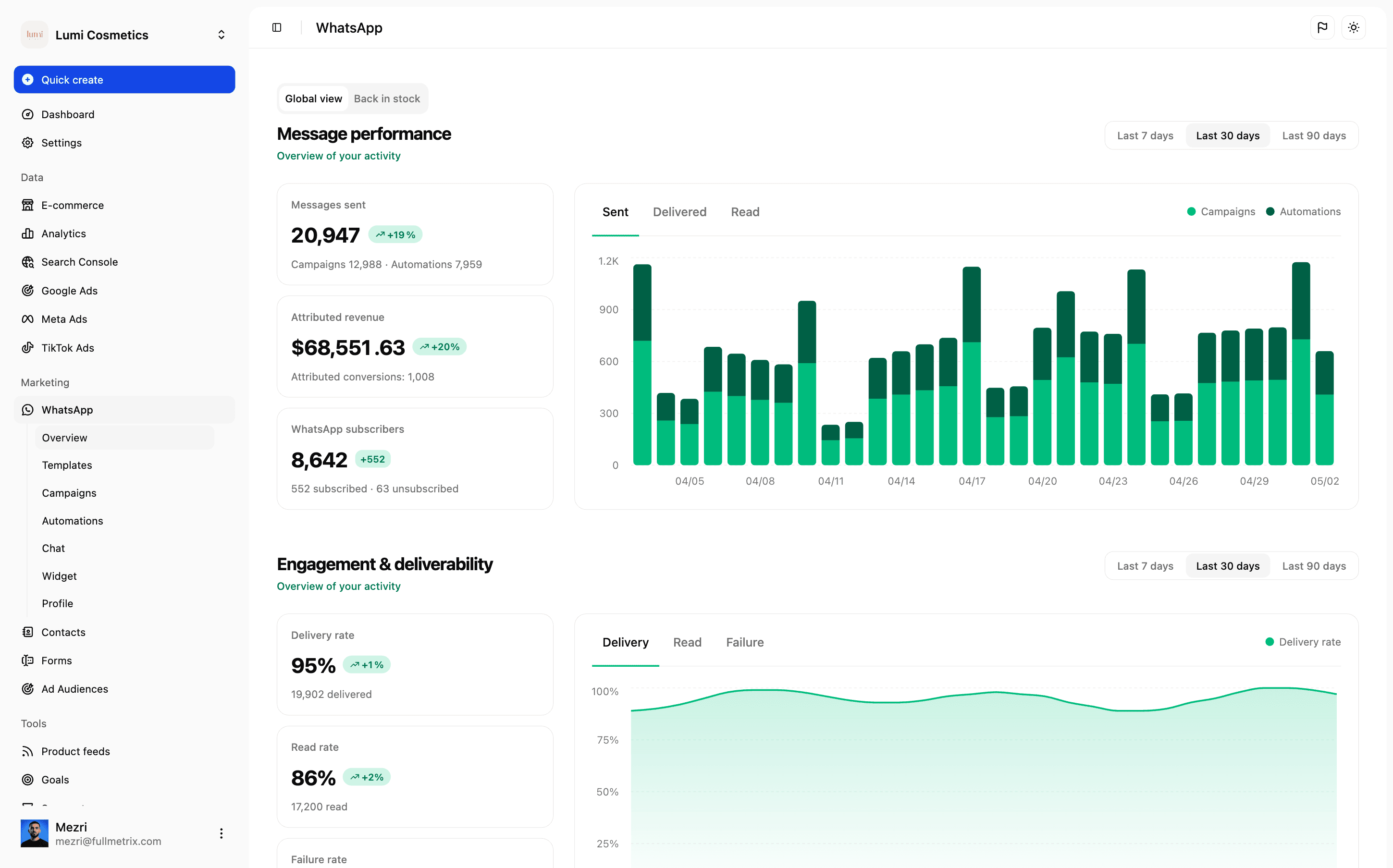
WhatsApp Business built in
Fullmetrix embeds WhatsApp Business directly in the platform. Your Shopware orders trigger targeted WhatsApp conversations: confirmation, delivery, cart recovery, review requests, post-purchase upsell.
- Meta-approved message templates, ready to use in English, French and German
- Automations triggered by Shopware events (order, payment status, refund, and so on)
- Fine-grained segmentation: VIP, dormant, first purchase, average order value above X
- Unified inbox to answer customers without leaving Fullmetrix
- Tracking of WhatsApp-driven conversions inside the main reporting
Cohorts, segments and audiences
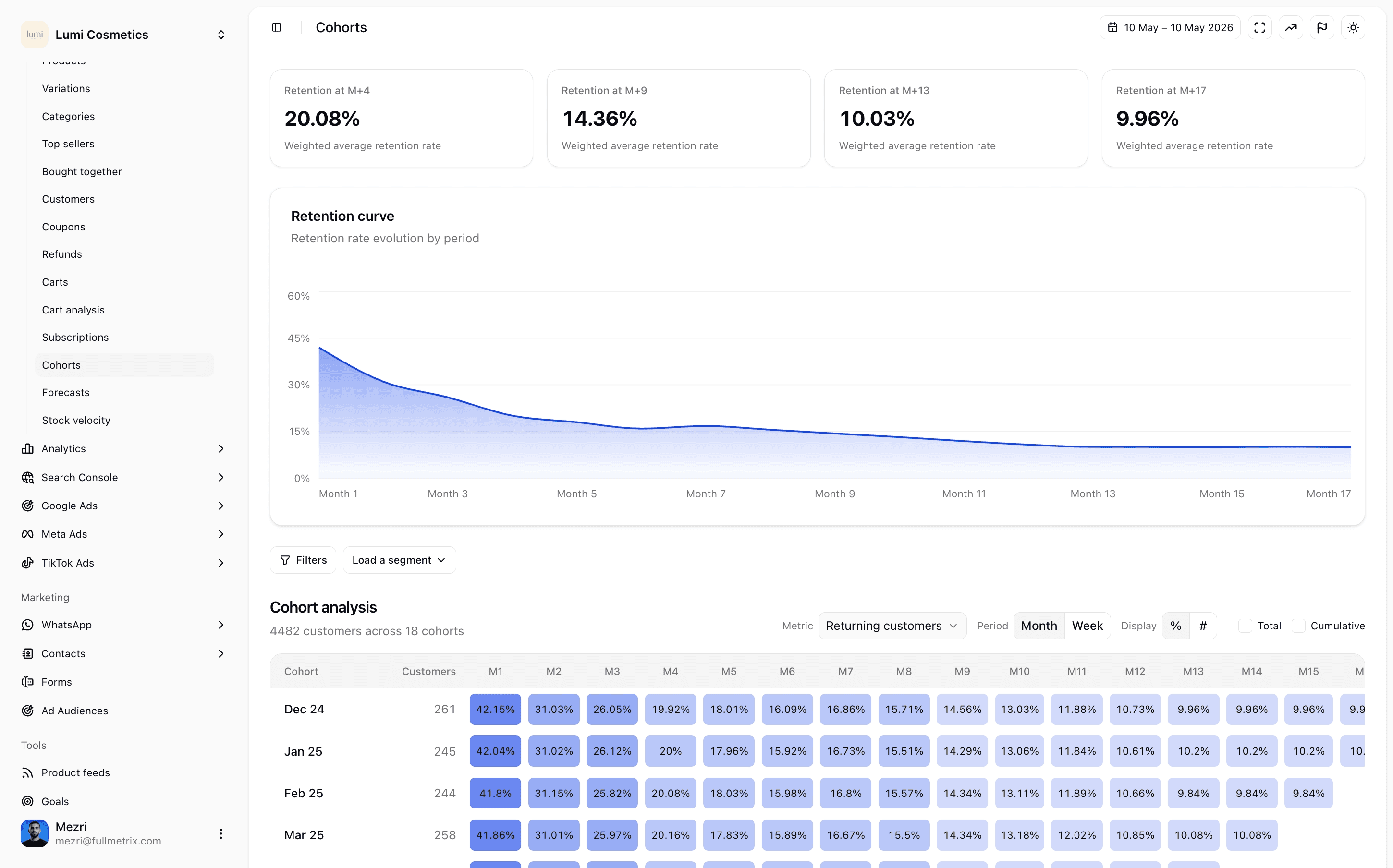
Shopware stores your customers, but cannot tell you who buys again, who is going quiet, who is about to leave. Fullmetrix builds live cohorts and dynamic segments from your Shopware base, and syncs them to Meta Ads, Google Ads, TikTok Ads and WhatsApp.
- Retention cohorts by acquisition month, first category purchased, first product
- Segments built on business rules (LTV, frequency, recency, categories)
- Automatic sync to ad platforms as custom audiences
- Automatic exclusion of existing customers from acquisition campaigns
Storefront measurement and abandoned carts
If you enable it, the app places a measurement script in your storefront. It links visits to orders, reconstructs abandoned carts and feeds the live view, without you having to touch your theme or install yet another tag manager.
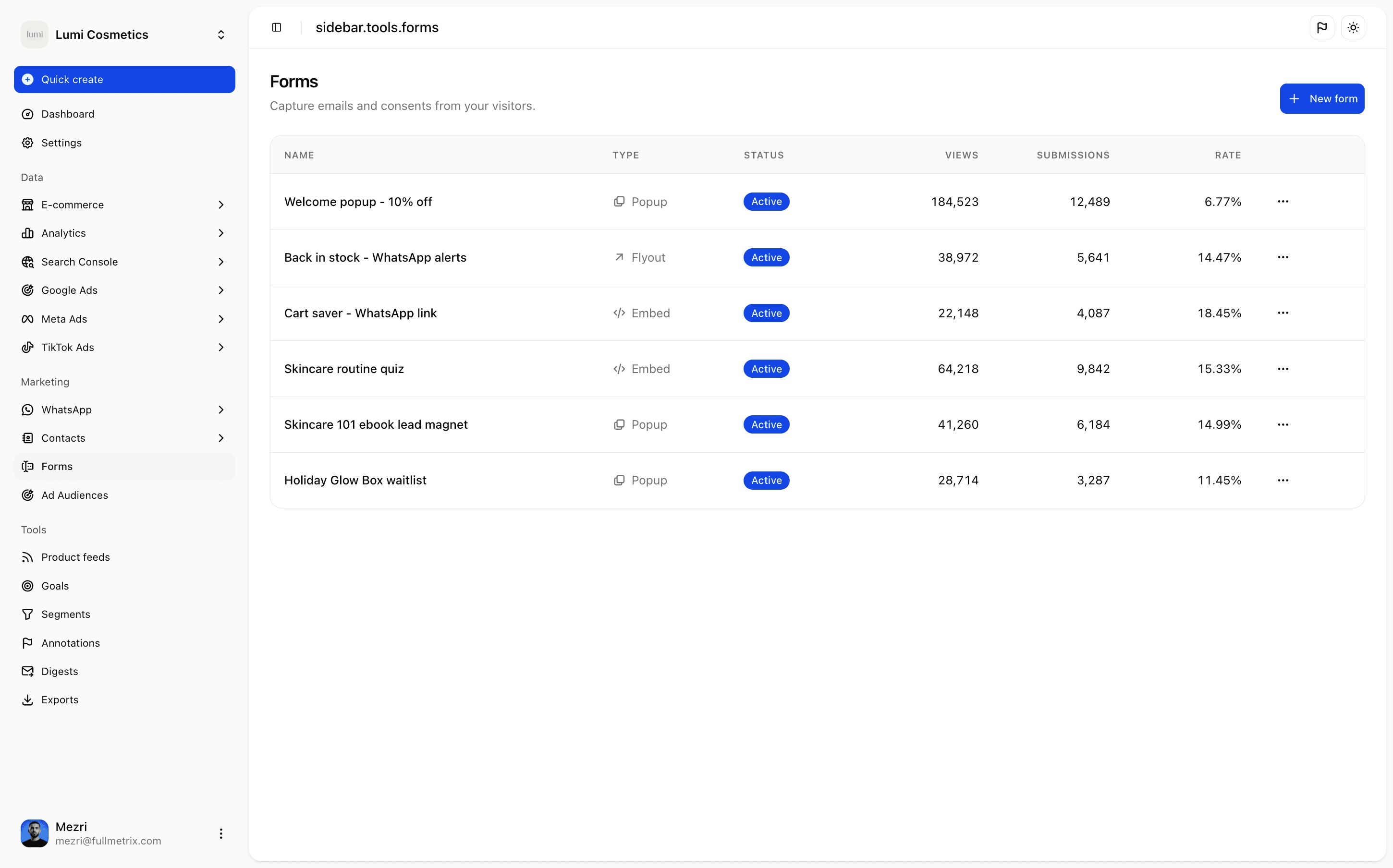
Forms, popups and audience capture
An opt-in form, a product quiz, a welcome popup: it takes a few minutes to build in Fullmetrix, without touching the Shopware theme. Captured contacts are automatically matched to existing Shopware customers, and feed your segments and campaigns.
Digests, alerts and exports
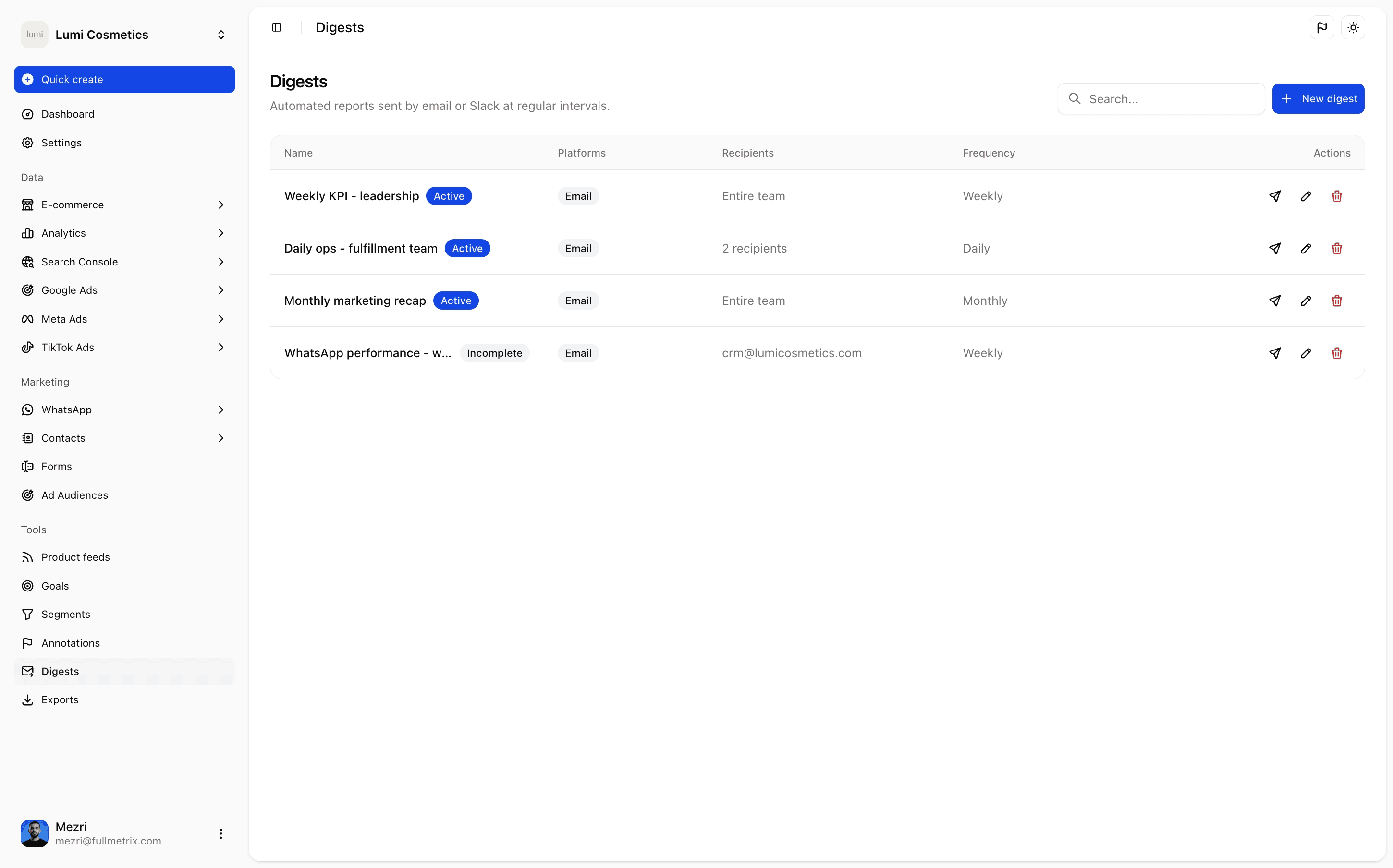
- Daily or weekly digest of key metrics, by email
- Smart alerts on conversion drops, return spikes, critical stock
- Automated CSV and Google Sheets exports for your finance or marketing teams
The Shopware app and support
The Shopware app is free and actively maintained by the Fullmetrix team. You download it straight from your account, install it from the store administration, and update it the same way. All of its permissions are read-only, except for writing the discount codes you trigger yourself from Fullmetrix. No dependency on a third-party connector, no intermediary SaaS standing between you and your data.
Installation takes a minute
Upload the ZIP from the Shopware administration, no code to write.
Read the install guideOn support, we are a French team based in France. When you write to us about a multi-channel setup, a specific pricing rule or an integration question, you reach someone who knows what you are talking about. We answer within hours, in English or French, by chat or email.
Going further
If you run a Shopware store and still export your orders to paste them back into Excel or Looker Studio, you are losing time and money. Fullmetrix is built for you, by people who love well-built e-commerce. The app is free to install, the Fullmetrix trial is free, and you will be connected in minutes.
Try Fullmetrix on your Shopware store
Upload the app in a minute, historical import included, free trial.
Start my trial